Drawing a Channel Cross-Section in SVG, and the 94% Quirk
The Problem
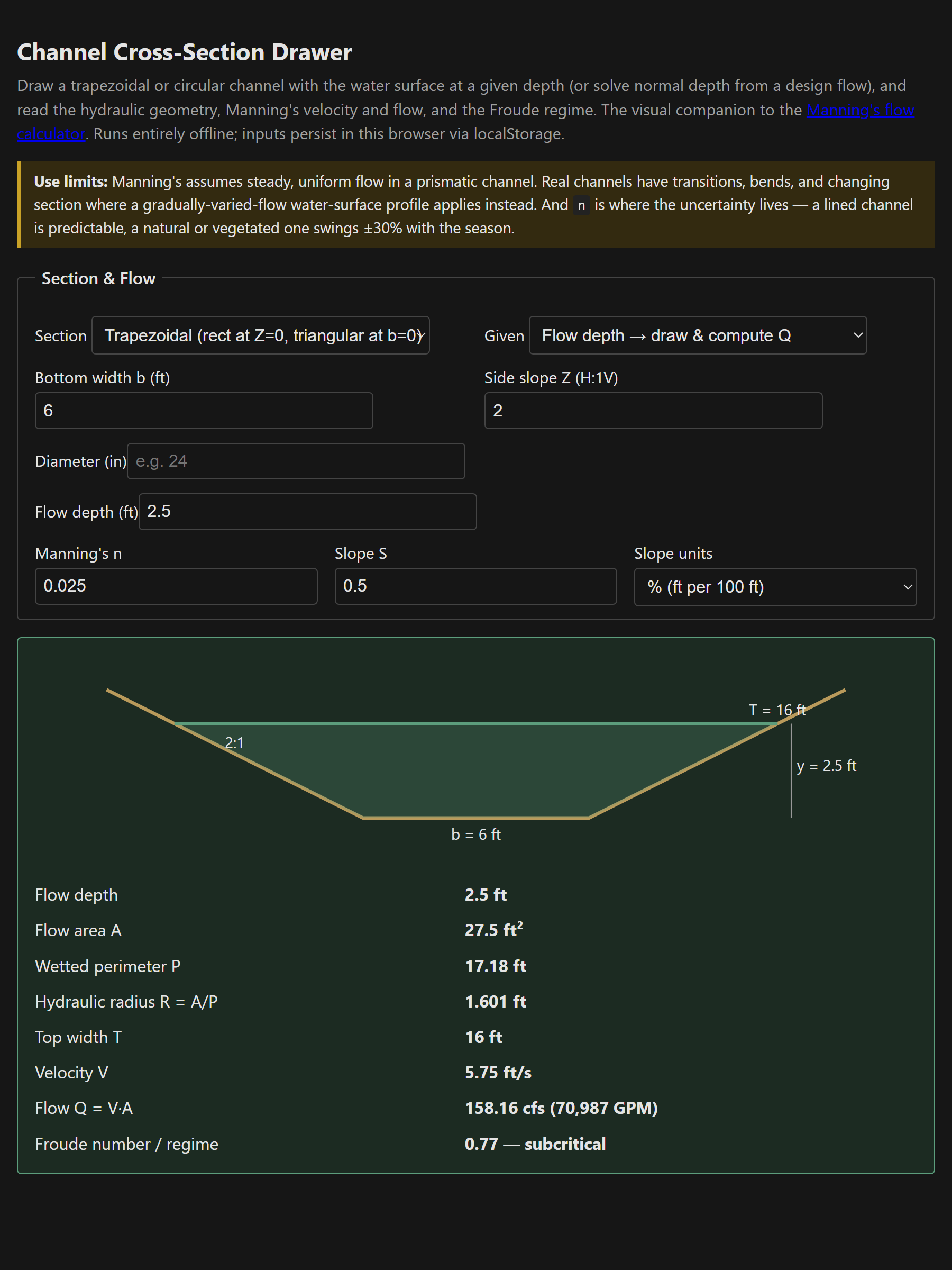
The Manning's flow calculator already does the hydraulics — area, wetted perimeter, velocity, flow. What it doesn't do is show you the channel. A row of numbers that says the hydraulic radius is 1.6 feet is correct and forgettable; a drawing of a trapezoid with the water shaded to depth, the top width called out, and the side slopes visible is something you can sanity-check at a glance. So this is the visual companion: same math, plus the picture.
The Approach
You pick a trapezoidal or circular section, give it a flow depth (or a design flow to solve normal depth for), and the tool draws the section to scale in inline SVG — the channel bed as a stroked path, the water area shaded, the water-surface line drawn, and the dimensions labeled. The hydraulic geometry, Manning's velocity and flow, and the Froude regime come out beside it. Critically, it reuses the exact geometry and the same bisection solver as the Manning's calculator, so the two tools agree by construction rather than by coincidence — the drawing is the only thing that's new.
The 94% quirk, made visible
The reason a drawing earns its keep is the circular pipe. Everyone learns that a pipe's capacity is its full-flow capacity, and everyone who has run the numbers knows that's not quite true: discharge in a circular section peaks near d/D ≈ 0.94 and then decreases toward full, because the last sliver of depth near the crown adds wetted perimeter faster than it adds area. A “full” pipe actually carries slightly less than a 94%-full one. As a sentence it's a curiosity; as a picture — the shaded segment at maximum discharge visibly not reaching the crown — it finally sticks. The solver knows it too, searching only up to the peak and reporting a design flow above it as exceeding gravity capacity.
Drawing to scale in vanilla SVG
- The geometry is computed in feet, then a single scale factor maps world units to the viewBox, chosen so the section fits the width with a little freeboard above the water line. The viewBox height adapts to the section, so a wide shallow channel doesn't leave half the frame empty.
- The trapezoid is one stroked path (two banks and a bottom); the water is a four-point polygon; the circular water segment is a polygon sampled along the wetted arc, which sidesteps the SVG elliptical-arc flag arithmetic entirely.
- Strokes and fills are CSS custom properties, so the whole thing flips to dark mode with the page and never ships a second color scheme.
- Everything redraws on every keystroke — there's no animation, just a full re-render of a few hundred bytes of SVG, which is instant.
Manning's still assumes steady, uniform flow in a prismatic channel, and n is still where the real uncertainty lives — the drawing doesn't make the assumptions any truer, it just makes the section legible. Single file, vanilla JS, everything persisted in localStorage and nothing leaving the browser.
The tool: Channel Cross-Section Drawer.
References
- [1] The Manning's flow calculator — same equation and section geometry, without the drawing.
- [2] Chow, Open-Channel Hydraulics — Manning's equation, section geometry, and flow regime.
- [3] FHWA HDS-3 (highway hydraulics) and HEC-15 (design of roadside channels with flexible linings).